Bulk QR Code Generatorfor CSV, Excel & Print Teams
Skip repetitive one-by-one exports. Paste a list or upload a CSV file to validate every URL, preview live QR thumbnails, and download up to 200 cleanly named PNG or vector SVG codes in one ZIP archive.
Static batches run 100% locally in your browserExport 512px / 1024px PNG or vector SVG ZIP archivesPro creates up to 200 editable dynamic QR codes with CSV summary
100% client-side ZIP · zero server upload
Accepts Title,URL or single-column URLs. Auto-skips header row (up to 200 rows).
2. QR Color Preset
3. Format & Resolution
Preview all rows and download the first 3 PNG codes in a ZIP for free. Upgrade to Pro for up to 200 codes or vector SVG ZIPs.
Live Batch Preview
Automatically detected and skipped CSV header row
4 valid
QR
Title & Filename
Destination URL
Tier
Preparing preview
Table 1 - Patio
001-table-1-patio.png
https://harbor-bistro.com/menu/table-1
https://harbor-bistro.com/menu/table-1
Free
Preparing preview
Table 2 - Window
002-table-2-window.png
https://harbor-bistro.com/menu/table-2
https://harbor-bistro.com/menu/table-2
Free
Preparing preview
Table 3 - Bar Counter
003-table-3-bar-counter.png
https://harbor-bistro.com/menu/table-3
https://harbor-bistro.com/menu/table-3
Free
Preparing preview
Table 4 - Private Room
004-table-4-private-room.png
https://harbor-bistro.com/menu/table-4
https://harbor-bistro.com/menu/table-4
Pro
Up to 200QR Codes per ZIP Batch
512 / 1024pxCrisp PNG + Vector SVG
Auto-NamedOrdered by CSV Title
Zero AdsEditable Dynamic Redirects
How Batch Generation Works
What is a Bulk QR Code Generator?
A bulk QR code generator converts a spreadsheet, CSV file, or multi-line URL list into a folder of print-ready QR code graphics in a single pass. Instead of pasting one destination link at a time, choosing colors repeatedly, and renaming dozens of downloaded images by hand, a bulk QR code generator reads structured rows, checks every web address for errors, and packages every finished graphic into one standard ZIP archive.
QRDynamic supports both static and dynamic workflows inside the same bulk QR code generator workspace. In Static Batch mode, CSV parsing, QR rendering, and ZIP assembly happen strictly in your browser memory with zero file uploads. Anyone can preview an entire table and download a 3-code PNG ZIP sample for free, while Pro unlocks full 200-code PNG batches and crisp vector SVG ZIP exports. In Dynamic Batch mode, Pro accounts mint up to 200 editable short links in one request and download every QR image alongside a structured qr-batch-summary.csv spreadsheet.
Built for Print Production & Operations
Bulk QR Code Generator Features for CSV & Print
Every control in this bulk QR code generator solves a concrete production bottleneck, from spreadsheet parsing to variable-data print delivery.
UTF-8 CSV
CSV & Excel Two-Column Parsing
Paste rows or upload any UTF-8 .csv file exported from Microsoft Excel or Google Sheets. The parser auto-skips header lines like title,url, supports quoted titles containing commas, and also accepts single-column URL lists.
Max 200 Rows
Instant ZIP Packaging up to 200 Codes
Generate 50, 128, or 200 QR graphics and pack them into one CRC-32 verified .zip archive directly in the browser. Each ZIP automatically includes a manifest spreadsheet mapping every filename back to its source URL.
PNG + SVG
512px, 1024px PNG & Vector SVG Export
Pick 512px PNG for digital badges, 1024px PNG for office labels, or Pro vector SVG for commercial offset printing. Vector SVG files stay razor-sharp at any physical dimension in Illustrator, CorelDRAW, or InDesign.
5 Brand Colors
Five High-Contrast Brand Color Presets
Match your packaging palette with Ink Black, Indigo, Ocean Navy, Forest Green, or Crimson Red modules on pure white backgrounds. High foreground contrast keeps scan speed fast under dim restaurant lighting.
Error Guard
Text-Based Filenames & Invalid Row Detection
Use your CSV title column to generate ordered filenames such as 001-table-1-patio.png. Broken URLs, missing links, and blocked protocols appear in a highlighted error box with exact line numbers before you export.
Dynamic Pro
Dynamic Batch Creation with Short-Link Summary CSV
Switch to Dynamic Batch mode to mint up to 200 editable short links in your QRDynamic dashboard at once. Your download includes every QR image plus qr-batch-summary.csv with title, short_url, and destination_url columns.
Four-Step Batch Workflow
How to Use Our Bulk QR Code Generator
Four sample restaurant table rows load automatically so you can test the bulk QR code generator right away or drop in your own CSV file.
Step 1
Prepare or Upload Your CSV Spreadsheet
Format two columns in Excel or Google Sheets with a title in the first column and a public https:// URL in the second column, then save as .csv. Click Upload .csv, drag the file into the box, or click Sample CSV to start from a clean 4-row template.
Step 2
Review Live Thumbnails and Fix Flagged Rows
Check the live preview table on the right to verify the valid row count, ordered filenames, and live QR previews. Any malformed address shows its exact line number in red so defective rows stay out of your print run.
Step 3
Choose Static or Dynamic Mode, Color, and Format
Select Static Batch for permanent client-side codes or Dynamic Batch (Pro) when you need post-print URL edits and scan counts. Pick one of 5 brand colors and select 512px PNG, 1024px PNG, or vector SVG output.
Step 4
Export Your Organized ZIP Archive in One Click
Click the download button to package your files. Test the workflow with a free 3-code PNG ZIP sample, or export up to 200 PNG, SVG, or dynamic QR codes plus a summary CSV ready for design software.
Real Production Workflows
Bulk QR Code Generator Use Cases
From 50 restaurant table tents to 200 warehouse asset tags, teams run this bulk QR code generator whenever physical materials map to unique landing pages.
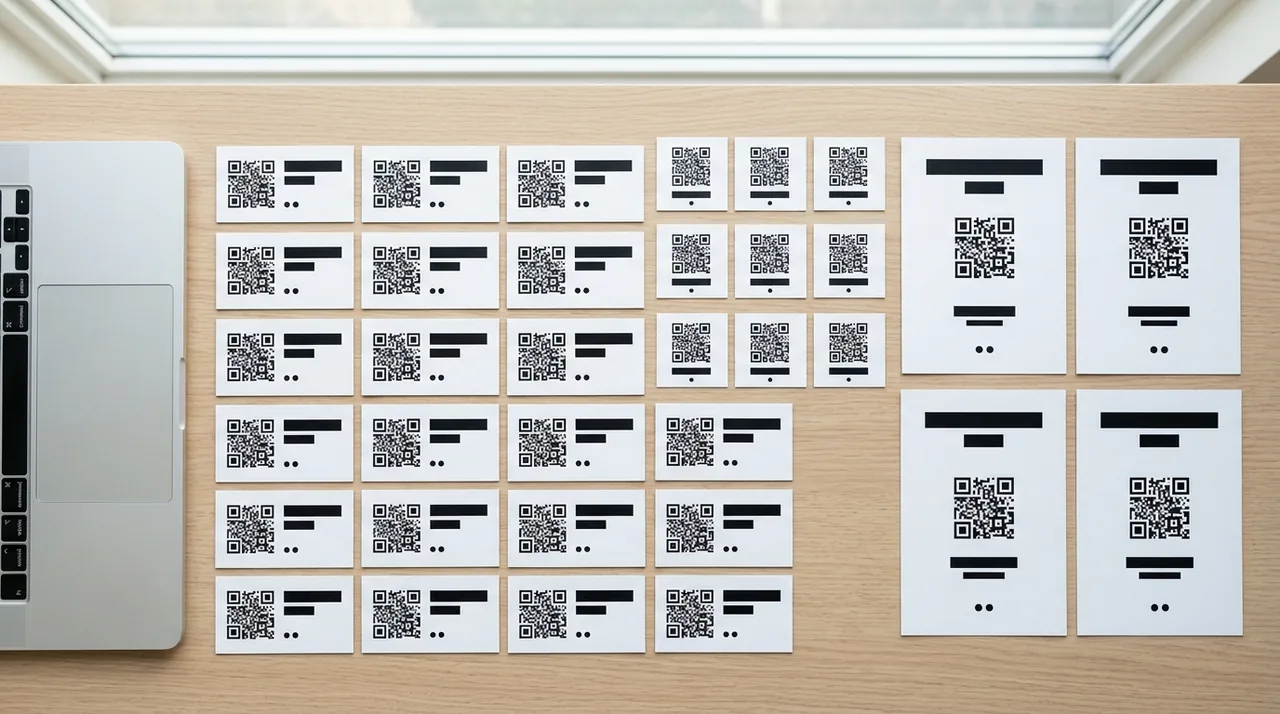
End-to-end batch workflow: export 50 to 200 table or product SKU links as a CSV, generate ordered PNG or vector SVG files with QRDynamic, and hand one clean ZIP archive directly to your print shop.
Hospitality
Bulk QR Code Generator for Restaurant Tables
Generate 60 numbered table-ordering QR codes from one spreadsheet in under 30 seconds. Pair with Dynamic Batch mode so seasonal menu updates require zero reprinted acrylic stands.
Turn a 128-row product catalog CSV into crisp 1024px PNG or vector SVG codes linking to setup guides, warranty forms, and authenticity pages without manual file renaming.
ZIP Output: 128 print-ready codes + filename manifest
Events & Conferences
Bulk QR Code Generator for Badges & Booths
Create 150 speaker badges, sponsor booth check-ins, or session feedback links from a single event spreadsheet. Consistent filenames feed directly into Adobe InDesign Data Merge.
Label 200 laptops, calibration instruments, or warehouse bins with unique inspection URLs. Putting the asset ID in the first column ensures every exported filename matches your inventory ledger.
ZIP Output: 200 asset-numbered QR stickers in 1 ZIP
Real Estate
Bulk QR Code Generator for Property Signs
Produce 50 yard-sign and brochure QR codes for active listings using Dynamic Batch mode. When a property sells, redirect that printed sign straight to a new listing or agent profile.
CSV Row: Unit 904, https://metro-homes.com/listing/904
ZIP Output: 50 editable dynamic QR graphics + summary CSV
Marketing Agencies
Bulk QR Code Generator for Multi-Store Campaigns
Assign distinct UTM tracking links to 80 retail branches or regional flyers in one CSV upload. Dynamic short links keep small sticker patterns clean while logging scans per store.
ZIP Output: 80 trackable short-link QR codes in 1 ZIP
Teams & Roles
Who Uses a Bulk QR Code Generator?
Any business printing dozens or hundreds of physical items relies on a bulk QR code generator to eliminate manual typos and save production hours.
Restaurant & Hospitality Operators
Operations managers generate 40 to 150 numbered table menus, hotel room guides, and review cards in one pass before a store launch or seasonal menu refresh.
Packaging Designers & Print Teams
Designers need cleanly named vector SVG files plus a matching CSV index so variable-data print jobs in Illustrator and InDesign drop into print layouts without manual file linking.
Online Store & Brand Product Managers
Product teams attach digital user manuals, spare-part reorders, and registration forms to 50 to 200 SKUs while cutting printed paper insert costs.
IT & Facilities Asset Coordinators
Facility teams convert equipment spreadsheets into durable QR inspection labels so technicians scan straight into maintenance tickets instead of typing serial numbers.
Static vs Dynamic Comparison
Why Choose QRDynamic Bulk QR Code Generator?
Compare client-side Static Batch exports against Pro Dynamic Batch creation so you pick the right architecture before sending files to print.
Capability
Static Batch ZIP
Dynamic Batch (Pro)
Edit destination URL after printing
Fixed forever inside the QR pattern
Update anytime in dashboard; printed code keeps working
Scan counts, country & device analytics
No built-in tracking
Live scan logs, daily charts, country & device breakdown
Visual module density for long URLs
Dense grid when URLs carry UTM tags
Compact short-link pattern scans cleanly on 2cm stickers
Pro bulk creation; 30-day grace period, zero redirect ads
No 14-Day Trial Shutdown Traps
Many online QR platforms disable printed codes the moment a short trial ends. Static batches from our bulk QR code generator stay permanent offline, and Pro dynamic batches include a 30-day billing grace period with zero interstitial ads.
Browser-Native Speed Without Legacy Desktop Installs
Skip operating-system limits and outdated desktop installers. QRDynamic builds CRC-32 verified ZIP archives up to 200 rows right inside Chrome, Safari, Edge, or Firefox on Windows, macOS, and mobile browsers.
Print-Shop Ready Delivery with Formula-Safe CSVs
Every downloaded ZIP bundles both ordered QR filenames and an automatically generated CSV index with spreadsheet formula protection, so designers and warehouse staff never guess which image belongs to which URL.
Transparent pricing
Pay for control, never for confusion.
Static QR codes are free forever. Upgrade only when your organization requires editable dynamic codes, batch management, and detailed analytics.
Early-bird launch offer · Most QR platforms charge $35–$49/mo billed yearly
Free
No credit card · 1 dynamic QR forever
$0forever
Perfect for testing and small single-link projects
For active businesses, restaurants, and marketing agencies
Up to 100 active dynamic QR codes
30-day scan trends, countries and devices
Vector SVG downloads for sharp large prints
CSV export of every scan
Auto-expire codes on a date you choose
Hosted PDF menus, iOS/Android app routing & bulk CSV ZIP
Priority email support
Pay once · Save $200
Lifetime
$399Save $200 · 50% OFF
$199 one-time
Pays for itself in 2 years · $0 renewals forever
One payment for print projects that last a lifetime
25 active dynamic QR codes
Every Pro feature included
Vector SVG downloads for sharp large prints
30-day scan analytics and CSV export
Auto-expire schedule and priority support
Hosted PDF menus, iOS/Android app routing & bulk CSV ZIP
Pay once: no renewals, future paid features included
Direct Answers from Real Search Queries
Bulk QR Code Generator FAQ
Clear answers about CSV uploads, Excel templates, batch limits, text naming, mobile access, and dynamic URL editing.
Is this bulk QR code generator free to use online?+
Yes, you can paste rows, upload a CSV file, preview every valid QR code live, and download a 3-code 512px or 1024px PNG ZIP sample free with no signup. Upgrading to Pro unlocks full batches up to 200 codes per ZIP, vector SVG exports, and dynamic bulk creation.
How do I use a bulk QR code generator from CSV files?+
Click Upload .csv above the input box or drag a UTF-8 .csv file directly onto the text area. Put item titles in column one and public https:// links in column two; header rows like title,url are skipped automatically before ZIP generation.
Can I run this bulk QR code generator from Excel or Google Sheets?+
Yes, export your Excel workbook or Google Sheet via Save As CSV UTF-8 (Comma delimited) with Title in the first column and URL in the second column. Upload the saved .csv file or paste comma-separated rows straight into the editor for instant parsing.
Can I generate 50, 128, or 200 QR codes in one ZIP archive?+
Yes, a single ZIP export handles up to 200 valid QR codes at once, covering 50-table restaurants, 128-SKU product lines, and 200-asset IT audits in one click. For larger catalogs of 500 or 1,000 items, split your CSV into 200-row chunks.
Does this bulk QR code generator with text labels name each file automatically?+
Yes, the first CSV column turns into clean, numbered filenames such as 001-table-1-patio.png or 002-item-4092.svg. Every ZIP also includes a manifest CSV linking each filename to its full text title and URL for InDesign or print shop workflows.
Does the bulk QR code generator work on mobile phones and tablets?+
Yes, the responsive editor runs inside iOS Safari, Android Chrome, and iPad browsers without installing an app. Paste multi-line URLs or pick a .csv file from mobile storage, inspect thumbnails, and save the finished ZIP archive directly to your device.
What is the difference between Static Batch ZIP and Dynamic Batch Pro?+
Static Batch encodes your raw URL directly into each QR pattern inside your browser, creating permanent codes with no server tracking. Dynamic Batch Pro creates up to 200 editable short links in your account with live scan analytics and a qr-batch-summary.csv file.
When should I export 1024px PNG versus vector SVG files for print?+
Choose 512px PNG for digital screens and 1024px PNG for office sticker sheets or flyers up to letter size. Choose Pro vector SVG whenever a commercial print shop needs infinite scaling for product packaging, yard signs, or trade-show banners.
Can I edit destination URLs after printing a bulk batch of QR codes?+
Yes, when you generate the batch in Dynamic Batch mode, every QR code points to an editable QRDynamic short link. Log into your dashboard anytime to change any destination URL immediately without reprinting menus, labels, or signs.
How does QRDynamic compare to older barcodez-style desktop tools?+
Older desktop batch tools require local installs, lock you into static-only images, and lack cloud scan logs. QRDynamic runs in any modern browser, packages 200 PNG or SVG codes into a verified ZIP locally, and adds optional editable dynamic short links.
What happens if my CSV contains broken links, duplicate titles, or empty rows?+
Blank lines are ignored automatically, and duplicate titles receive unique numeric prefixes so no image ever overwrites another inside the ZIP. Rows missing a valid http:// or https:// address appear in a red error box with exact line numbers and stay excluded.
Are my uploaded CSV files sent to a server during static batch generation?+
No, Static Batch mode parses your CSV, draws every QR code, and assembles the ZIP archive entirely inside local browser memory. Your URL list only transmits to QRDynamic servers when you intentionally switch to Dynamic Batch mode and click Create.
Ready to Create Your Bulk QR Codes?
Upload your CSV spreadsheet above and download cleanly named PNG, vector SVG, or editable dynamic QR codes in one ZIP archive.