Smart OS Routing · iOS + Android in One Code

App Store QR Code Generator. One smart QR for iOS, Android, and desktop.

Combine your Apple App Store link, Google Play URL, and desktop landing page into a single ready-to-scan code. Preview and download a free 1024px static PNG per store, or launch a dynamic smart link that sends every phone straight to the right store automatically.

Free 1024px single-store PNG with zero signupAutomatic iOS, Android & desktop 302 routing (Pro)Zero interstitial ads on Cloudflare edge redirects

iOS + Android Smart OS Routing

App Store & Google Play QR Code Generator

Enter your store links to preview and download a free 1024px static PNG per store, or launch one smart dynamic QR code that detects iOS, Android, and desktop automatically.

Stop printing two separate QR codes on your packaging or posters

Launch one dynamic smart QR code: iPhones open the Apple App Store, Android devices open Google Play, and desktop visitors land on your fallback page with full OS and country analytics.

3-Device Routing SimulatorHTTP 302
One QR short linkqrdynamic.dev/api/qr/app-smart
Detects iOS User-Agent → 302 redirect to Apple App Store
https://apps.apple.com/app/id123456789

Free Single-Store Static Preview

QR Color
Encoded payload

https://apps.apple.com/app/id123456789

1 CodeCovers iOS, Android & Desktop
< 50msEdge OS detection & 302 redirect
1024pxFree static PNG download
24/7Editable store links & OS analytics
How Smart Store Routing Works

What is an App Store QR Code?

An App Store QR code is a quick-response matrix code that opens a mobile application download listing in seconds when pointed at by a smartphone camera. Instead of forcing people to type an app name and hunt through search results filled with lookalike competitors, one quick scan takes them straight to the official install button.

When your app ships on both Apple iOS and Google Android, printing two separate codes side by side crowds product packaging and causes frequent wrong scans. A smart dynamic App Store QR code solves that problem with a single short URL hosted on Cloudflare edge servers. The moment someone scans, the redirect inspects the device user agent and sends iPhones and iPads to the Apple App Store, Android handsets to Google Play, and desktop browsers to your custom fallback download page.

Free Single-Store Static Code

Encodes one direct Apple App Store or Google Play HTTPS URL into a permanent 1024px PNG. Ideal for iOS-only prototypes, internal TestFlight guides, or quick flyers.

Smart Dynamic Routing Code (Pro)

Unifies iOS, Android, and desktop fallback links behind one clean printed graphic. Edit URLs after printing and track daily scans by OS and country.

Smartphone scanning an App Store QR code printed on product packaging to launch the iOS App Store or Google Play automatically
Real-world deployment: a single high-contrast App Store QR code printed on retail packaging lets both iPhone and Android buyers jump straight to their matching store listing.

Inside a Sub-50ms Smart Redirect

1

Customer points their native phone camera at one clean graphic

Both iOS Camera and Android Google Lens decode the compact short URL reliably even at 25mm print widths or under dim retail lighting.

2

Edge router detects operating system in milliseconds

QRDynamic reads the HTTP User-Agent header on the fly to classify iPhone/iPad, Android mobile, or desktop visitors with zero popups.

3

Instant HTTP 302 redirect opens the matching native store

iOS handsets jump directly into the Apple App Store listing, Android devices open Google Play, and desktop visitors land on your web download page.

4

Per-campaign analytics log scans by day, OS, and region

Your dashboard records total installs-funnel clicks over 7d, 30d, 90d, or 1y windows so marketing teams can measure offline print ROI accurately.

Smart Routing vs. Dual Static Codes

Why Use One Smart App Store QR Code Instead of Two Codes?

Printing separate Apple and Google codes wastes layout space and splits campaign attribution. Compare both setups before sending artwork to the printer.

Feature & Capability1 Smart Dynamic App Store QR Code (Pro)2 Separate Static Store Codes
Packaging & flyer footprint Saves 50% print area with a larger quiet zone Tight dual layout leads to accidental cross-scans
Automatic OS detection Routes iPhone, Android, and desktop via HTTP 302 Relies on shoppers picking the correct store label
Desktop & laptop scans Opens your custom web download or fallback page Mobile store links convert poorly on desktop screens
Post-print link updates Swap store IDs, UTM tags, or promo URLs in 3 seconds Destination stays permanently locked in printed ink
Offline scan analytics Track daily volume, OS split, countries & CSV export Zero scan metrics for packaging or outdoor campaigns
Vector print filesUnlimited crisp SVG and 1024px PNG exportsMany basic tools export low-res raster bitmaps only

Built for Mobile Growth & Print Production

App Store QR Code Features for High-Converting Campaigns

Every control in this App Store QR code generator is built to validate URLs, preview device routing before printing, and protect offline print budgets.

Automatic iOS, Android & Desktop 302 Routing

Bind your Apple App Store URL, Google Play URL, and desktop fallback page to one clean dynamic short link. Every visitor lands on the right destination in under 50ms with zero interstitial ad screens.

Interactive 3-Device Routing Simulator

Toggle between iPhone/iPad, Android, and Desktop inside the generator panel before downloading. Confirm exact HTTP 302 targets and HTTPS validation badges in real time.

Free 1024px Static PNG Export

Need a quick code for one platform? Switch between iOS App Store and Google Play preview tabs, pick from 5 high-contrast brand colors, and download a watermark-free 1024×1024px PNG right in your browser.

Print-Ready Vector SVG Downloads

Pro and Lifetime members export mathematically sharp SVG artwork ready for Adobe Illustrator, Sketch, and InDesign. Scale from a 25mm hardware label to a 3-meter trade show banner with crisp edges.

Editable Store Links Without Reprinting

Update Apple campaign tokens, Play Store referrer parameters, or seasonal landing pages anytime from your dashboard. Existing boxes, receipts, and posters keep scanning smoothly.

Device, Country & Timeline Scan Analytics

Measure offline acquisition across packaging batches, store locations, and events. Filter scans across 7-day, 30-day, 90-day, or 1-year ranges and export raw logs as CSV.

Quick start workflow

How to Create an App Store QR Code

Follow four quick steps to configure your store links, test multi-device routing, and export print-ready artwork in under 60 seconds.

Step 1

Paste your iOS App Store and Google Play URLs

Copy your canonical Apple link (https://apps.apple.com/app/id123456789) and your Google Play package URL (https://play.google.com/store/apps/details?id=...) into the generator fields and confirm both green HTTPS badges appear.

Step 2

Add an optional desktop fallback URL

Enter your marketing download page (such as https://your-app.com/download) so Windows, macOS, and tablet desktop visitors see product screenshots and install buttons instead of a mobile-only listing.

Step 3

Verify each OS inside the 3-Device Simulator

Click the iPhone / iPad, Android, and Desktop tabs on the right panel to inspect how one shared short link routes every device via HTTP 302 to its matching store page.

Step 4

Download free 1024px PNG or launch a Pro Smart QR

Download a free 1024px static PNG for either individual store immediately, or click Create One Smart App QR (Pro) to generate your live dynamic routing code and track installs in your dashboard.

Commercial deployment

App Store QR Code Use Cases

Turn physical print points, product boxes, and desktop screens into measurable mobile app installs without cluttering your layout.

Consumer Hardware & IoT

App Store QR Code for Product Packaging & Setup Cards

Smart bulbs, fitness bands, dash cams, and kitchen appliances ship with tiny quick-start cards where space is tight. Printing one 30mm × 30mm smart code guides buyers straight from opening the box to companion app pairing.

Input: Apple App Store URL + Google Play URL + setup web guide
Output: 1 crisp vector SVG printed inside the retail box lid
Key Benefit: Cuts required label area by 50% and stays editable across hardware revisions

Retail & QSR Chains

App Store QR Code for Counter Stands & Printed Receipts

Coffee shops, bakeries, and specialty retailers print loyalty app codes on table tents, cup sleeves, and thermal receipts. Waiting customers scan once in 3 seconds and install while standing in line.

Input: Loyalty app dual store links + per-branch campaign label
Output: 1024px PNG or SVG placed on counter acrylics and receipts
Key Benefit: Separates scan counts by store branch to measure local loyalty signups

Out-of-Home & Transit Ads

App Store QR Code for Subway Posters & Billboards

Commuters glancing at transit panels or elevator screens have under 5 seconds to scan. A single high-contrast 300mm code follows the 10:1 distance ratio and removes any hesitation between iPhone and Android.

Input: Dual store links + transit placement label
Output: Vector SVG scaled to 300mm for 3-meter viewing distance
Key Benefit: Eliminates wrong-store abandonment and quantifies outdoor ad lift

Conferences & Field Sales

App Store QR Code for Trade Show Booths & Event Badges

Exhibitors and conference organizers print one unified code on booth backdrops, roll-up banners, and lanyard inserts so attendees install event schedule or demo apps instantly on the show floor.

Input: Event app iOS & Play URLs + web schedule fallback
Output: High-contrast dark code printed at 80mm on signage
Key Benefit: Reassign the same code to post-event slides or feedback forms afterward

Cross-Device Digital Handoff

App Store QR Code for Desktop Websites & Live Webinars

Shoppers browsing on a laptop or watching a YouTube tutorial rarely want to search an app store manually. Placing a 180px code on your pricing page or closing webinar slide moves desktop leads onto mobile in one tap.

Input: Dual store links + desktop download landing page
Output: 1024px transparent-safe PNG embedded in web UI or slide decks
Key Benefit: Removes spelling typos in store search and lifts desktop-to-app conversion

Hospitality & Enterprise Rollouts

App Store QR Code for Hotel Key Cards & Welcome Kits

Hotels, fitness clubs, and B2B operations teams use mobile apps for mobile door entry, class booking, and employee MFA. One unified code on room key sleeves or welcome packets supports every handset model on day one.

Input: Guest or employee iOS + Android links + web portal fallback
Output: Unified SVG code printed on 50,000+ room key sleeves
Key Benefit: Reduces front-desk support tickets and protects long-run print stock

Built for Real Teams

Who Uses an App Store QR Code?

From solo app makers shipping version 1.0 to multi-country retail operators, smart store routing keeps every offline campaign measurable.

Mobile Growth & Performance Marketers

Assign a unique dynamic code to each magazine placement, direct-mail postcard, or city billboard to compare daily scan volume and iOS-versus-Android demand side by side.

Packaging & Industrial Designers

Keep retail cartons and quick-start inserts minimal with a single square module instead of squeezing dual Apple and Google badges into tight margins.

Retail, Restaurant & Hospitality Operators

Drive table-side loyalty app installs across dozens of locations while keeping full control to swap seasonal promo URLs without reprinting acrylic stands.

Indie Developers & B2B SaaS Teams

Generate clean free 1024px static PNGs for beta testers today, then upgrade to Pro ($9.90/mo) or Lifetime ($199 once) for smart OS routing and vector print exports.

Print & Routing Engineering Checklist

App Store QR Code Print & Routing Best Practices

Apply these four production rules before sending packaging layouts, posters, or counter stands to your commercial printer.

Follow the 10:1 Scan Distance Rule & Quiet Zone

Print at least 25mm × 25mm for hand-held packaging and receipts, or 300mm × 300mm for posters scanned from 3 meters away. Always preserve a clean white border at least 4 modules wide around every edge.

Use Country-Neutral Apple App Store URLs

Format your iOS link as https://apps.apple.com/app/id123456789 without a region segment like /us/ or /uk/. Apple automatically routes international users to their local store region when the country prefix is omitted.

Keep High Foreground-to-Background Contrast

Stick to dark modules (#101315 black, deep indigo, navy, forest green, or crimson) on a solid white card. Low-contrast pastel patterns or inverted light-on-dark gradients slow down older phone cameras.

Test Physical Proofs on Both iPhone and Android

Before approving a 10,000-unit print run, scan an actual paper proof under indoor lighting with both an iOS device and an Android handset to confirm instant store handoff.

Transparent pricing

Pay for control, never for confusion.

Static QR codes are free forever. Upgrade only when your organization requires editable dynamic codes, batch management, and detailed analytics.

Early-bird launch offer · Most QR platforms charge $35–$49/mo billed yearly

Free

No credit card · 1 dynamic QR forever
$0forever

Perfect for testing and small single-link projects

  • Unlimited static QR code generation
  • 1 active dynamic QR code with editable link
  • Basic total scan count tracking
  • High-res PNG export with the full design studio
  • No visitor interstitial advertisements
Choose Free
Most Popular · 58% OFF

Pro

$238.80Save $139.80 · 58% OFF
$99/ year

Just $8.25/mo · 2 months free vs monthly

For active businesses, restaurants, and marketing agencies

  • Up to 100 active dynamic QR codes
  • 30-day scan trends, countries and devices
  • Vector SVG downloads for sharp large prints
  • CSV export of every scan
  • Auto-expire codes on a date you choose
  • Hosted PDF menus, iOS/Android app routing & bulk CSV ZIP
  • Priority email support
Pay once · Save $200

Lifetime

$399Save $200 · 50% OFF
$199 one-time

Pays for itself in 2 years · $0 renewals forever

One payment for print projects that last a lifetime

  • 25 active dynamic QR codes
  • Every Pro feature included
  • Vector SVG downloads for sharp large prints
  • 30-day scan analytics and CSV export
  • Auto-expire schedule and priority support
  • Hosted PDF menus, iOS/Android app routing & bulk CSV ZIP
  • Pay once: no renewals, future paid features included

Frequently asked questions

App Store QR Code FAQ

Direct answers to the 12 most common questions about smart iOS and Google Play routing, free PNG limits, scanners, and printing.

Can one App Store QR code work for both iPhone and Android?+

Yes. While a basic static matrix code holds only one fixed URL, a QRDynamic Pro smart code links one printed graphic to three destinations. iOS scans redirect via HTTP 302 to the Apple App Store, Android scans open Google Play, and desktop browsers open your fallback web page automatically.

Is this App Store QR code generator free to use?+

Yes, single-store static codes are 100% free with zero account required. You can switch between your iOS App Store URL and Google Play URL and download unlimited watermark-free 1024px PNG files that never expire. Smart multi-OS dynamic routing, vector SVG exports, and scan analytics are included in Pro ($9.90/mo) and Lifetime ($199 once).

Do users need a special App Store QR code scanner or browser extension?+

No. Every modern iPhone running iOS 11 or newer scans directly from the built-in Camera app, and Android phones scan natively through Camera or Google Lens. Shoppers point their phone, tap the link banner, and land straight inside the official app store without installing an extra scanner.

How do I find my exact Apple App Store and Google Play link?+

Open your listing on Apple App Store, tap Share, and keep the short canonical format https://apps.apple.com/app/idYOUR_NUMERIC_ID without country codes so global store regions match automatically. For Google Play, copy the web address ending in /store/apps/details?id=your.package.name directly from your browser bar.

What happens if someone opens an App Store QR code link on a desktop computer?+

When a Windows PC, macOS laptop, or unrecognized browser opens your smart dynamic short link, QRDynamic redirects the visitor to your optional Desktop / Fallback URL (such as your website download page). If you leave the fallback field empty, desktop visitors smoothly fall back to your iOS link.

Can I edit the destination URL after printing my App Store QR code?+

Yes, when you create a Pro smart dynamic code. You can change your Apple App Store URL, Google Play package link, campaign attribution parameters, or desktop fallback page anytime in your QRDynamic dashboard without reprinting packaging or posters. Static single-store PNG codes encode the raw link directly and stay fixed forever.

How do I test my App Store QR code before sending artwork to a printer?+

Start with the interactive 3-Device Routing Simulator right inside the generator to verify iPhone, Android, and desktop redirects side by side. After exporting your PNG or SVG, drop the file into our local browser QR Code Scanner to inspect the encoded string, then test a paper proof on both an iPhone and an Android phone.

Does a dynamic App Store QR code expire or show ads before redirecting?+

No ads are ever inserted before redirecting. QRDynamic executes a direct HTTP 302 redirect on Cloudflare edge servers with zero interstitial banners. Static codes last forever, and paid dynamic plans include a 30-day billing grace period so active campaigns stay online while billing issues are resolved.

What is the minimum print size for an App Store QR code on product packaging?+

Print at least 25mm × 25mm (1 inch × 1 inch) on close-range boxes, inserts, or receipts, with a clean white margin of at least 4 modules around all four sides. For posters or trade show signage scanned from 2 to 3 meters away, scale the code to at least 200mm–300mm using vector SVG.

Should I download PNG or vector SVG for commercial packaging and billboards?+

Use the free 1024×1024px PNG for websites, slide decks, email newsletters, and small desk cards up to 80mm wide. Choose vector SVG (included in Pro and Lifetime) for CMYK retail packaging, store decals, and large-format posters so every square stays razor-sharp at any print dimension.

Is an App Store QR code different from an Apple Store payment or personal data QR code?+

Yes. Retail Apple Store checkout payment codes and iOS device-pairing codes that share personal account setup data are generated privately by Apple hardware and retail terminals. An App Store QR code created here strictly directs smartphone cameras to public HTTPS app download pages on the Apple App Store and Google Play.

Can I track how many iPhone vs. Android users scanned each poster or package?+

Yes. Every Pro smart dynamic App Store QR code logs scan timestamps, device categories, and country distribution inside your QRDynamic dashboard across 7d, 30d, 90d, and 1-year windows. Create separate labels for packaging, receipts, and booths, then export CSV reports for attribution analysis.
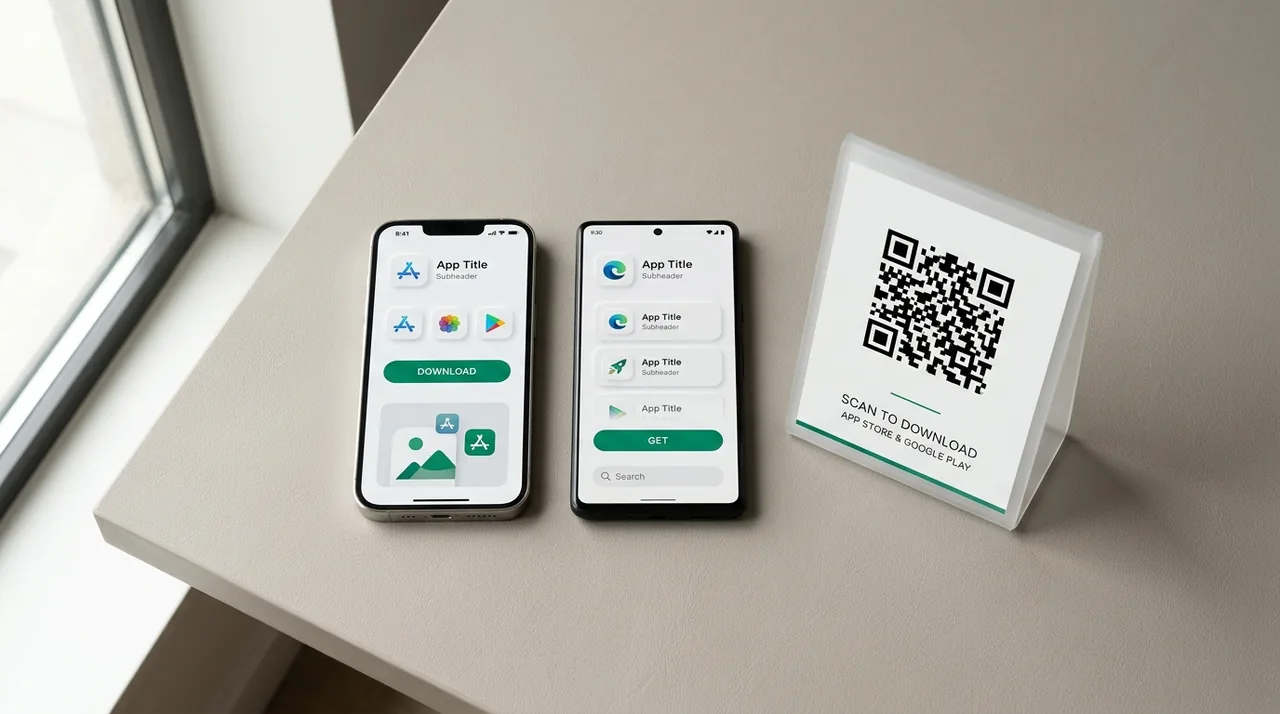
Ready to Create Your App Store QR Code?

Generate a free 1024px PNG in seconds or launch one smart iOS and Android dynamic QR code ready for print.